Have you seen this awesome lesson over on Fourth Grade Fanatic? It's all about that first week with your kiddos and how you can take stock of their problem solving abilities, plus how well they will work together in a group.
***Due to overwhelming request, I am sharing the document I made based on Fourth Grade Fanatic's post. Apparently, the links aren't going to the correct place. I take absolutely NO credit for this sheet, since it is not my work. But I love sharing as much as I can.
Save Fred Worksheet
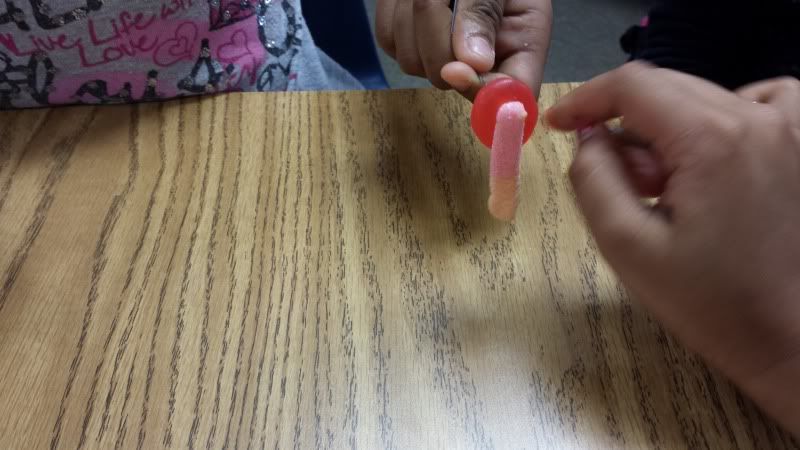
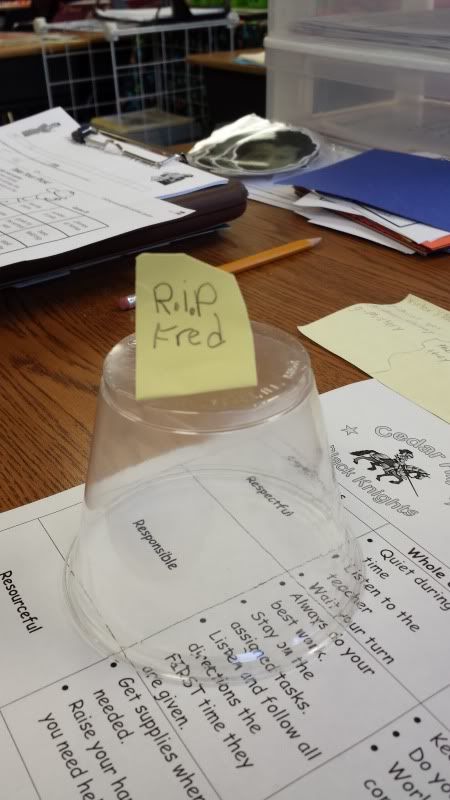
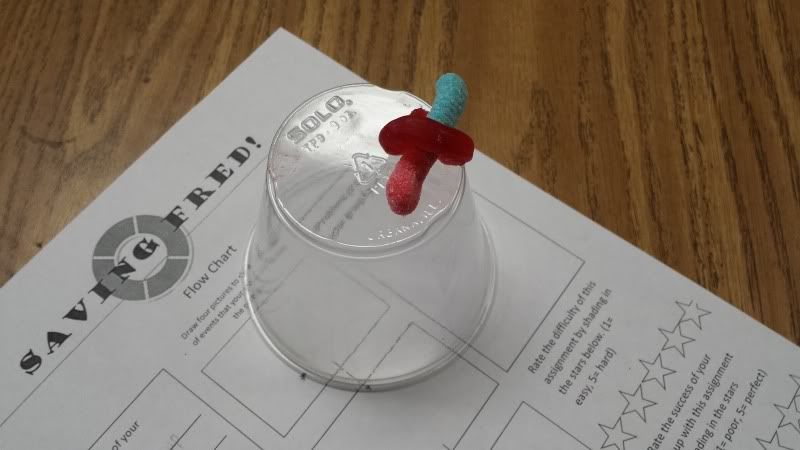
Saving Fred is a fun little lesson about a careless worm. Since worm's brain are by nature pretty small, Fred is at a disadvantage. That comes into play as he is out on his boat without a buddy. Now, Fred isn't completely without thought, he did bring his life preserver. As these things go, Fred's boat capsizes trapping his preserver beneath it with Fred on top. Fred can't swim very well, so it is up to your students to help Save Fred!
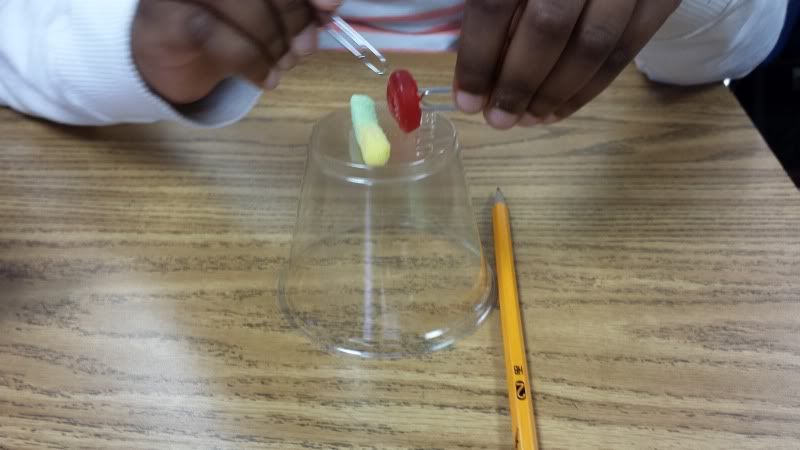
They are armed only with the two 'oars' that Fred brought with him. In our world, these oars look suspiciously like paper clips. The students aren't allowed to touch Fred with their fingers or hands. He's got a thing about that. Your students must get Fred's life preserver around him before the time runs out and Fred drowns.
I call up the Online Countdown Timer and display it on our SmartBoard screen. They are given five minutes to save Fred from certain death. The boat is a plastic cup, the life preserver is a gummy life saver, and Fred? He's a gummi worm.
Be prepared to handle it if some of the groups don't save Fred in time.
But for the most part they will work creatively to save their poor little worm and have fun doing it! After this activity there is a timeline for them to draw pictures of what they did to save Fred and also an area to rate their team on effectiveness.
Showing posts with label behavior. Show all posts
Saturday, August 24, 2013
Tuesday, July 09, 2013
Tried It Tuesday - Class Dojo
Howdy!
Welcome back for another edition of Tried It!
Holly over at Fourth Grade Flipper is also working off this same theme. Go check out her post as well.
I'm starting to have 'Teacher Dreams' with only three weeks left before I say Sayonara to Summer. You know those dreams that put you into a classroom situation and then you have to figure out what to do? I'm talking those nailbiting situations like someone throws an eraser at you, or one of your little darlings talk back, or you forgot to pass out the report cards, or the principal shows up right as the science experiment blows up.
What? You've never had these? Hm, maybe I'm just weird.
Anyway, it's these 'walkthroughs' of what would you do that I start analyzing my classroom strategies and trying to figure out, well, what I would do. I'm constantly having to discuss the idea of talking and how it is NOT good during worktimes. I have gone through so much research on what to do with an overly chatty class, and they always offer the same stunted suggestions such as move clips, or give a child three cubes, or a behavior chart. I've tried everything! Nothing curbs those eager mouths that sometimes talk right over you no matter how close to their desk you stand.
One program I ran across that I thought would solve it all was a cute little site called Class Dojo. It works on the idea of a visual reminder for both positive and negative behaviors. Each student is assigned a funny little monster icon. Look below:
And you get to set the awards into categories of your own selecting, such as the list below. I'm sure you can guess what types of Negative choices there are.
The site allows you to make some custom settings for your room:
As the day progresses you have the class screen up for all to see. Then as someone makes a great choice or needs to rethink their behaviors you can simply click over and reward or take away points. You'll need to discuss with your class beforehand what types of rewards will occur if they have so many minuses (maybe they lose 5 mins of recess for -2) and what happens when they have so many pluses (extra computer time, or call home with a good note) at the end of the day, or week as you move to wean them off this process.
Now, for my experience the first time it didn't work for me. Analyzing the hows and whys and whatfors during my 'Teacher Dreaming' I believe it was because I started this process way too late. It was something new but they never really bought into it. I want to start it right from the beginning of school and see how that affects their behaviors. Also, I don't like to keep my monitor on all day. I'm stingy and those lightbulbs in the machine are very expensive. I wouldn't want the school shelling out tons of dollars just to keep my kids quiet. I might be trying to have it on only during the major worktimes such as reading workshop or math class.
I will check back in with you in September after a month of school to let you know how it is coming. But until then I'd love to hear your responses to this program if you've tried it, or suggestions on how to make it work better in your room.
So, give it a try and let me know your thoughts.
Welcome back for another edition of Tried It!
Holly over at Fourth Grade Flipper is also working off this same theme. Go check out her post as well.
I'm starting to have 'Teacher Dreams' with only three weeks left before I say Sayonara to Summer. You know those dreams that put you into a classroom situation and then you have to figure out what to do? I'm talking those nailbiting situations like someone throws an eraser at you, or one of your little darlings talk back, or you forgot to pass out the report cards, or the principal shows up right as the science experiment blows up.
What? You've never had these? Hm, maybe I'm just weird.
Anyway, it's these 'walkthroughs' of what would you do that I start analyzing my classroom strategies and trying to figure out, well, what I would do. I'm constantly having to discuss the idea of talking and how it is NOT good during worktimes. I have gone through so much research on what to do with an overly chatty class, and they always offer the same stunted suggestions such as move clips, or give a child three cubes, or a behavior chart. I've tried everything! Nothing curbs those eager mouths that sometimes talk right over you no matter how close to their desk you stand.
One program I ran across that I thought would solve it all was a cute little site called Class Dojo. It works on the idea of a visual reminder for both positive and negative behaviors. Each student is assigned a funny little monster icon. Look below:
And you get to set the awards into categories of your own selecting, such as the list below. I'm sure you can guess what types of Negative choices there are.
The site allows you to make some custom settings for your room:
As the day progresses you have the class screen up for all to see. Then as someone makes a great choice or needs to rethink their behaviors you can simply click over and reward or take away points. You'll need to discuss with your class beforehand what types of rewards will occur if they have so many minuses (maybe they lose 5 mins of recess for -2) and what happens when they have so many pluses (extra computer time, or call home with a good note) at the end of the day, or week as you move to wean them off this process.
Now, for my experience the first time it didn't work for me. Analyzing the hows and whys and whatfors during my 'Teacher Dreaming' I believe it was because I started this process way too late. It was something new but they never really bought into it. I want to start it right from the beginning of school and see how that affects their behaviors. Also, I don't like to keep my monitor on all day. I'm stingy and those lightbulbs in the machine are very expensive. I wouldn't want the school shelling out tons of dollars just to keep my kids quiet. I might be trying to have it on only during the major worktimes such as reading workshop or math class.
I will check back in with you in September after a month of school to let you know how it is coming. But until then I'd love to hear your responses to this program if you've tried it, or suggestions on how to make it work better in your room.
So, give it a try and let me know your thoughts.
Subscribe to:
Posts (Atom)